
Family law software is a specialized platform built to manage the unique, often chaotic, demands of a family law practice. It brings all your firm’s critical functions—from case files and client messages to deadlines and billing—into a single, organized hub.
Moving Beyond Manual Case Management
Picture your office right now. Are there stacks of paper threatening to take over your desk? Are you constantly toggling between spreadsheets, email threads, and a physical calendar just to keep track of a single case? For many family law attorneys, this isn't an exaggeration; it's the daily reality. This administrative drag isn't just inefficient. In a field built on guiding people through intensely emotional life events, it’s a direct roadblock to effective advocacy.
This is precisely where modern family law software comes in. Think of it less as another piece of tech to learn and more as the operational command center for your entire firm. It's the difference between trying to navigate a sprawling city with a crumpled paper map and using a live GPS that reroutes you around traffic jams in real time.
Shifting Focus from Administration to Advocacy
The entire point of this software is to take the repetitive, low-value administrative work off your plate. By automating the essentials, it frees up your team—from paralegals to partners—to focus on the work that actually matters: your clients. When you’re not spending hours drafting standard petitions or chasing down payments, you can reinvest that time into case strategy, client counseling, and fighting for better outcomes.
The goal is simple: let lawyers be lawyers. The software should handle the logistics so you can focus on guiding clients through divorce, custody battles, and support negotiations.
This shift is a direct counterattack on the operational friction and burnout that plagues so many small and mid-sized firms. To see just how damaging these old-school methods can be, it's worth understanding why manual case document processing is no longer viable for modern law firms.
The Tangible Impact on Your Firm
Bringing dedicated family law software into your practice isn't a matter of simple convenience. It’s a strategic move to build a more resilient, competitive, and profitable firm. The ripple effects are felt everywhere:
Enhanced Efficiency: Automating tasks like client intake, discovery deadlines, and document assembly means cases move forward faster with far fewer unforced errors.
Improved Profitability: With precise time tracking and streamlined invoicing, every billable minute is captured and billed correctly. This is one of the fastest ways to directly boost your firm’s revenue.
Better Client Experiences: A secure client portal gives clients a direct, transparent line of communication. They can see updates, upload documents, and get answers without constant phone calls, which builds trust and lowers their anxiety.
Ultimately, this technology gives you the framework to handle a growing caseload without having to proportionally grow your headcount. It’s the foundation for sustainable growth and a stronger reputation in a crowded market.
Breaking Down the Core Features Your Firm Needs
To see how family law software really works, you have to look past the sales pitch and break it down into its core functions. These aren't just flashy add-ons; they are specific tools built to tackle the biggest headaches in family law. When they work together, they create a system that’s far more powerful than any single component.
Think of it like hiring a team of specialists. You get a master organizer, a detail-obsessed librarian, a sharp accountant, and a secure courier, all working in perfect sync from day one. This is how a practice drowning in administrative chaos gets its head above water and starts focusing on clients again.
The chaos of managing conflicts, deadlines, and mountains of paperwork is a familiar pain point for any family law practitioner. A centralized software platform is designed to bring order to that environment.
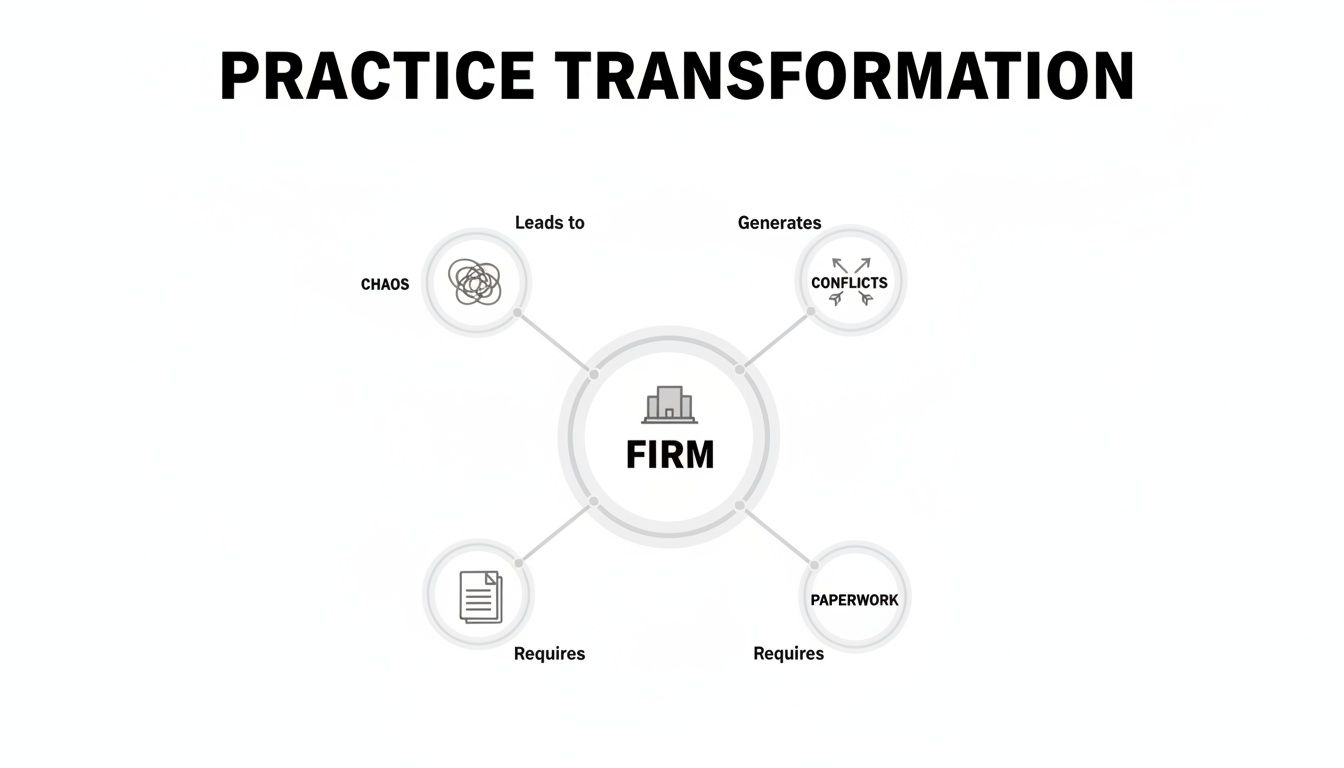
As the image shows, the goal is to transform that scattered, high-stress reality into a cohesive, manageable workflow. Let’s look at the specific features that make this happen.
The following table breaks down the most critical features and shows the direct impact they can have on your daily operations.
Core Features and Their Impact on Your Practice
Core Feature | Primary Function | Key Benefit |
|---|---|---|
Case & Document Management | Centralizes all case-related information, documents, and communications. | Eliminates wasted time searching for files and creates a single, reliable source of truth. |
Client Intake & CRM | Automates lead capture and standardizes the client onboarding process. | Captures every potential client and ensures a professional, consistent first impression. |
Secure Client Portal | Provides a private, encrypted channel for sharing updates and documents with clients. | Builds client trust, reduces anxiety, and eliminates the security risks of using email. |
Automated Billing & Invoicing | Captures all billable time and generates professional invoices automatically. | Reduces revenue leakage, improves cash flow, and cuts down on administrative accounting tasks. |
Each of these components addresses a specific operational weakness common in family law, turning manual, time-consuming tasks into automated, efficient processes.
Case and Document Management
The absolute core of any family law software is its case management function. This is the digital command center for every matter you handle. Instead of client files scattered across cabinets, email threads, and random sticky notes, everything is consolidated in one secure, searchable place.
From there, you have document management. Family law is famous for its paper trails, from financial affidavits to custody evaluations. A good system acts like an intelligent digital filing cabinet. It doesn't just store documents—it organizes them so they can be found instantly. This is where firms see a huge return on time.
Instead of a paralegal or attorney burning hours digging for a specific motion or discovery response, a simple keyword search brings it up in seconds. That’s not just a convenience; it's a direct improvement to your billable efficiency.
Together, these features create a "single source of truth" for every case. You can dive deeper into how legal case management software can boost operations to see just how impactful this can be.
Client Intake and Secure Communication
The client experience starts long before they ever sign a retainer. A dedicated client intake and CRM (Customer Relationship Management) module automates that critical first contact. You can set up custom online forms to capture key information from potential clients 24/7, feeding leads directly into your system so nothing falls through the cracks.
Once a client is on board, communication is everything. A secure client portal should be considered non-negotiable. It creates a private, encrypted space where you can share case updates, exchange documents, and send messages without the security holes of email. This gives clients the on-demand access they’ve come to expect, which goes a long way toward building trust and easing their anxiety.
Billing and Financial Tools
Finally, let's talk about what keeps the lights on. Automated billing and invoicing ensures your firm’s hard work actually translates to healthy cash flow. The software captures every billable moment—from phone calls to document reviews—and generates clear, professional invoices with a few clicks. This drastically cuts down on revenue lost to unrecorded time.
These are the features driving the rapid adoption of this technology, with the market projected to grow by 9.00% annually through 2030. In practices with high case volumes, these tools consolidate scattered data into a single platform, slashing administrative overhead. For example, a good document management module that automates the organization of custody agreements and financial disclosures can reclaim 30-50 hours per case that would otherwise be lost to manual filing and searching.
How AI Is Reshaping Family Law Practices
Artificial Intelligence is no longer just a buzzword; it's an operational tool that smart family law firms are using to work faster and more effectively. In the world of family law software, AI isn't about replacing attorneys. It’s about augmenting them—acting as a super-powered paralegal that handles the grunt work, freeing you up to focus on strategy and your clients.

Think of it this way: AI is the team member who can read, sort, and analyze a decade's worth of financial disclosures or discovery documents in minutes, not days. This lets your human team do what they do best—counseling clients, building case strategy, and advocating in the courtroom. It’s all about working smarter, not just harder.
From Manual Review to Automated Insight
One of the most immediate gains from AI comes from document review. We all know family law cases are swamped with paper, from years of bank statements and tax returns to property deeds and text messages. Manually sifting through that mountain of data is a massive time sink and a magnet for human error.
AI-powered software puts that entire process on autopilot. It can scan, categorize, and even flag critical data points within those documents. Imagine it instantly highlighting inconsistencies in financial statements or flagging key asset mentions in a pile of emails. Hours of work become a task completed in minutes.
AI acts as a first-pass review expert, identifying critical data points and potential red flags with superhuman speed. This allows attorneys to start their strategic analysis from a much more informed position, saving both time and client money.
This isn’t just about being faster; it’s about achieving a level of precision that’s tough to replicate manually. For a deeper dive into this, check out our guide on how AI for law can unlock legal operations.
Predictive Analytics and Strategic Drafting
Beyond just reviewing documents, AI is starting to provide some serious predictive muscle. By analyzing historical case outcomes in a specific jurisdiction, these tools can help forecast potential timelines or even suggest likely results for certain motions. It’s not a crystal ball, but it gives you data-driven benchmarks to manage client expectations and strengthen your negotiation position.
For instance, an AI tool could analyze thousands of past spousal support rulings in your county to give you a probable range for a new case with similar facts. That’s a powerful data point to bring to the negotiation table.
AI also gives you a huge head start on drafting routine documents and communications. It can generate solid first drafts of:
Motions and Pleadings: Pulling from case-specific facts to create a strong template.
Discovery Requests: Ensuring your questions are comprehensive and relevant.
Client Communications: Drafting standard updates and follow-up emails.
This function slashes the time you spend on boilerplate language, letting you pour your expertise into the strategic nuances of each document. The mix of automated review, predictive insight, and drafting assistance makes AI an indispensable part of modern family law software, giving firms the power to deliver better results, more efficiently.
How to Calculate Your Return on Investment
When you’re looking at family law software, don’t just think of it as another line item on your expense report. It’s a strategic investment. To really see if it's worth the cost, you have to move past the monthly subscription fee and figure out its actual Return on Investment (ROI). That means putting a number on both the money it saves and the new revenue it helps you bring in.
Think about it this way: you'd hire a star paralegal in a heartbeat if they could instantly increase your firm's billable hours while wiping out administrative mistakes. The right software does exactly that, but it runs 24/7 and never asks for a raise. The trick is to break its value down into cold, hard numbers.
Quantifying Time and Cost Savings
The most immediate return you’ll see comes from getting your time back. Administrative work is the silent profit-killer in every law firm. By automating those mind-numbing, repetitive tasks, you start clawing back billable hours that were just vanishing into thin air.
First, get a rough estimate of how much time your team is currently burning on tasks the software can take over:
Document Drafting: How many hours a week go into drafting the same petitions, discovery requests, or financial affidavits from scratch?
Time Tracking and Invoicing: What’s the real monthly time cost of manually logging hours, pulling together invoices, and then chasing down payments?
Searching for Information: How much time gets wasted just trying to find one specific document, email, or case detail buried in a mountain of digital or paper files?
Let’s run a quick, conservative calculation. If a new family law software platform saves each of your attorneys just five hours a week, that's 20 billable hours recovered per attorney, per month. For a small firm with three attorneys billing at $300 an hour, that adds up to a potential $18,000 in extra monthly revenue.
ROI isn't just about cutting expenses. It's about unlocking new capacity for work that actually makes you money. Every hour you reclaim from admin is an hour you can bill to a client.
This massive potential for efficiency is exactly why the market is exploding. The global family law software market, valued at $629.64 million in 2025, is on track to hit $1,203.7 million by 2033. Here in the U.S., where more than 1.2 million divorces were filed in 2022, firms using this tech are reporting that they can cut their case processing times by up to 40%. This lets them take on more cases without having to hire more people. You can dig into these trends in this detailed market research report.
Analyzing Intangible Returns
Of course, not all returns fit neatly on a spreadsheet. There are significant "soft" returns that are just as vital for protecting and growing your firm's value. They might be harder to quantify, but they're critical for your long-term health.
Reduced Malpractice Risk: An automated calendar that tracks every deadline and sends out reminders dramatically cuts the risk of a missed filing—one of the most common reasons for a malpractice claim.
Lower Team Burnout: When you eliminate the frustrating, repetitive work, your team is happier. Better job satisfaction means less costly employee turnover.
Enhanced Firm Reputation: Offering clients a modern, professional experience with a secure portal and clear communication builds a powerful reputation that attracts better, higher-value cases.
When you add these less tangible benefits to the direct financial wins, the argument for dedicated family law software becomes pretty clear. It stops being a "nice-to-have" and becomes a foundational tool for building a more profitable, efficient, and resilient practice.
Selecting the Right Software for Your Practice
Choosing the right family law software is one of the most important decisions you’ll make for your practice. This isn't just about adding another tool; it’s about choosing the operating system for your entire firm. A long list of flashy features is useless if the software doesn't actually fit how your team works.
Think of it like buying a vehicle for a long road trip. A two-seat sports car looks great on paper, but if you need to haul gear and navigate rough roads, you'll wish you'd bought the rugged SUV. The best software is the one that solves your real-world problems today and can keep up as you grow.
Define Your Firm’s Core Needs
Before you even book a single demo, you need to look inward. What are the biggest headaches in your day-to-day operations? Where does your team get bogged down in non-billable work? Nailing down these pain points is the only way to separate the truly useful platforms from the noise.
Get your team together and ask some honest questions:
Administrative Bottlenecks: What repetitive tasks—like client intake or drafting standard documents—are eating up the most hours?
Billing and Financials: Are we leaking billable time? Is our invoicing process so slow it’s creating cash flow problems?
Client Communication: How many hours are wasted answering client calls for simple case updates? Are we sharing sensitive files in a secure, compliant way?
The answers will become your "must-have" features list. The goal isn’t to find software that does everything. It's to find the software that does what you need most, exceptionally well. For instance, if your firm is constantly fighting deadlines, a platform with a killer calendaring system is non-negotiable. Our ultimate guide to legal calendaring software goes much deeper on this specific pain point.
Key Questions to Ask During Vendor Demos
With your needs clearly defined, you’re ready to evaluate vendors. A demo is your chance to cut through the marketing fluff and see the software in action. Don't let the salesperson run the show. Come armed with specific scenarios based on your firm’s biggest challenges.
A vendor demo should feel more like a consultation than a presentation. If they can't clearly articulate how their tool solves your specific problems, it's not the right partner.
This is where you vet potential partners, not just products. A solid family law software provider will welcome your tough questions and show they genuinely understand the nuances of your practice. The market is exploding—with some forecasts predicting it will hit USD 15.56 billion by 2031—so you have plenty of options. That growth is fueled by rising caseloads and the critical need for secure, compliant tools, especially in North America and Europe. You can see more on this rapidly expanding market and its key players on OpenPR.
The Vendor Selection Checklist
Use this checklist to cut through the noise and make a confident, data-driven choice.
Scalability: Will this software grow with us? Ask about adding new users and whether the pricing model penalizes growth.
Integration Capabilities: Does it play nice with the other tools we rely on, like QuickBooks for accounting or Outlook for email?
Security and Compliance: Get specific. Ask about SOC 2 certification, end-to-end data encryption, and how they stay compliant with privacy regulations. Don't accept vague answers.
Onboarding and Support: What does implementation actually look like? Is data migration included? What kind of training and ongoing support can we expect when we run into trouble?
Picking your firm's software is a major strategic investment. By being methodical—defining your needs, asking tough questions, and scoring vendors against a clear checklist— you'll end up with a platform that not only fixes today's headaches but also sets your practice up for long-term success.
A Step-By-Step Plan for Smooth Implementation
Bringing new family law software into your practice can feel daunting. But the truth is, a clear, phased plan turns that anxiety into a well-managed project. This isn't about flipping a switch overnight. Think of it more like a strategic renovation of your firm's engine room—it needs a blueprint, a dedicated crew, and a clear vision for building a more powerful foundation.
A structured approach is the only way to minimize disruption and get your team seeing the benefits right away.

A successful rollout isn't just about getting the software running. It's a change management exercise. The goal is to make the transition so seamless that your people feel empowered by the new tools, not burdened by yet another system to learn.
Phase 1: Pre-Launch Planning and Preparation
The most critical work happens long before anyone logs into the new platform. A smooth rollout is built entirely on the quality of your prep work. This phase is about setting the stage, assigning clear roles, and neutralizing the single biggest point of failure: data migration.
Your first move is to assign a project lead or a small, dedicated implementation team. This person is your quarterback—the central point of contact for the vendor and the internal champion who will keep the project on track. They own the process and make sure everyone knows their part.
Next, you have to get serious about your data. This is where most software projects go off the rails. Work hand-in-glove with your new vendor to map out exactly how your existing case files, contacts, and financials will move over. This almost always involves three steps:
Data Cleansing: This is your chance to tidy up. Get rid of duplicate contacts, archive ancient closed cases, and fix inconsistent entries.
Mapping Data Fields: You need to decide precisely where information from your old system—even if it's just a collection of spreadsheets—will live in the new one.
Conducting a Test Migration: Never move all your data at once. Start with a small, representative sample to catch and fix any mapping errors or formatting glitches before the main event.
Think of data migration like moving to a new office. You wouldn't just dump all your old boxes in the new space. You'd sort, label, and organize everything first to ensure you can find what you need from day one.
Phase 2: Launch and Team Training
With your data primed and a solid plan in hand, it's time to go live. The success of this phase hinges on one thing: effective, role-specific training. Not everyone needs to be a power user on day one, but every single person must be confident with the features they'll touch every day.
Avoid the one-size-fits-all training lunch. It’s a recipe for glazed-over eyes and frustration. Break it down by role:
Paralegals should get a deep dive into document automation, calendaring, and task management.
Attorneys will likely need to master time tracking, reporting, and the secure client portal.
Your office manager or bookkeeper needs to become the expert on billing, invoicing, and trust accounting.
The key to getting your team on board is to frame the training around the "what's in it for me." Don't just show them how to use a feature; show them why it makes their job better. Demonstrate how document automation kills the tedious task of manually filling out financial affidavits. This is how you overcome the natural resistance to doing things a new way.
Phase 3: Post-Launch Optimization
The job isn’t finished once the system is live. The first 90 days are crucial for embedding the new workflows and making sure the family law software is actually delivering. This final phase is all about listening, adjusting, and proving the value.
Schedule regular, short check-in meetings with your team. Ask them directly: What’s working? What’s creating friction? These candid conversations are goldmines for spotting opportunities to tweak your processes and get more out of the system.
Finally, start tracking the numbers that matter. Are you getting invoices out the door faster? Has non-billable administrative time dropped? Is client communication more consistent? This data proves your ROI and gives you a benchmark for future improvements, turning a good software implementation into a great one.
Frequently Asked Questions About Family Law Software
Making the jump to new software always brings up a few tough, practical questions. We get it. When you’re considering a platform specifically for family law, you’re not just thinking about features—you’re worried about security, cost, and the headache of moving all your existing files.
Let’s cut through the noise. Here are straight answers to the questions we hear most often from firm leaders.
Is This Software Secure Enough for Confidential Client Data?
This is the big one, and the answer is an emphatic yes. In fact, modern family law software is almost certainly more secure than your firm’s current setup of local servers and standard email. Top-tier vendors build their platforms on hyper-secure cloud infrastructure—think Amazon Web Services (AWS) or Microsoft Azure—that comes with enterprise-grade protection.
They don't just stop there. Multiple layers of security are at work to protect your client’s most sensitive information:
Bank-Grade Encryption: Your data is scrambled both in transit (when it’s moving) and at rest (when it’s stored).
Compliance Certifications: Look for vendors with a SOC 2 Type II certification. This isn't just a marketing badge; it's a rigorous, independent audit that verifies their security systems are sound.
Robust Backup Protocols: Data is backed up automatically and frequently, so a local server crash or ransomware attack won't wipe you out.
When you’re vetting a vendor, make security and compliance your first line of questioning. This is non-negotiable for protecting your clients, your reputation, and your firm.
Will My Small or Solo Firm Benefit from This Software?
Absolutely. You could even argue that small and solo firms stand to gain the most. When you don't have a small army of paralegals and administrative staff, every non-billable task—chasing invoices, organizing documents, scheduling calls—lands on your plate.
The right family law software is like hiring the world's most efficient administrative assistant. It puts the grunt work on autopilot, freeing you up to focus on the high-value legal work that actually moves cases forward and keeps clients happy. This isn't just about convenience; it's about giving you the leverage to handle a larger caseload and deliver better results without bloating your payroll.
For small firms, efficiency isn’t a luxury—it’s a survival mechanism. Software automates the very tasks that drain profitability, turning administrative hours back into billable ones.
How Difficult Is It to Migrate Our Existing Case Data?
This is probably the most common fear we see, and it’s almost always overblown. The reality is that leading software providers have this down to a science. They have entire teams dedicated to onboarding and data migration, and their job is to make your transition as painless as possible.
Think of it as a partnership. A good vendor won’t just hand you a manual. They’ll work with you to map out a clear plan, helping you pull data from whatever you’re using now—even if it’s a chaotic mix of spreadsheets, Word docs, and Dropbox folders. They’ll guide you through importing it correctly into the new system. Crucially, they’ll run a test migration first to spot and fix any problems before you go live.
During your demos, make sure you ask vendors to walk you through their specific migration process. Their answer will tell you everything you need to know.
Ready to see how an AI-powered platform can transform your firm’s operations? Wamy centralizes intake, automates document analysis, and provides risk intelligence to help you resolve matters faster. Discover a more structured, consistent, and audit-ready workflow at https://www.wamy.com.