
When you’re juggling dozens, or even hundreds, of legal cases, a standard digital calendar just doesn't cut it. It’s like using a rowboat in a shipping lane—you’re bound to get swamped. This is where specialized legal calendaring software comes in. It’s a sophisticated, automated system designed to manage the tangled web of court deadlines, filing dates, and statutes of limitations that define modern litigation and claims management.
This software is far more than a simple reminder tool. It creates a centralized, error-proof framework that is absolutely essential for managing risk and staying compliant.
What Is Legal Calendaring Software?

Think of legal calendaring software as an air traffic control system for a law firm, carrier, or TPA. While your Outlook or Google Calendar is great for tracking appointments, this software manages the high-stakes, interconnected deadlines that are the lifeblood of any legal case. It provides a single source of truth that prevents catastrophic errors, like a missed statute of limitations or a late filing.
In the legal world, a single missed date can trigger a malpractice claim, lead to disciplinary action, or get a case thrown out entirely. That’s why relying on manual methods like spreadsheets or basic digital calendars is playing with fire. Those tools have no built-in intelligence; they don't understand the procedural nuances of different jurisdictions and are ripe for human error.
Key Differences Between Standard Calendars and Legal Calendaring Software
It's easy to assume all calendars are more or less the same. But when it comes to legal work, the differences are night and day. A standard calendar is a passive tool, while legal calendaring software is an active risk management system.
Here's a quick breakdown of where they diverge:
Feature | Standard Calendar | Legal Calendaring Software |
|---|---|---|
Date Calculation | Entirely manual; user must calculate all deadlines. | Automated, rules-based calculations based on court rules. |
Jurisdictional Rules | No built-in awareness of court rules or procedures. | Pre-loaded and continuously updated rule sets for specific jurisdictions. |
Audit Trail | None. No record of who changed what or when. | Detailed, immutable audit trail for every entry and modification. |
Centralization | Decentralized; each user manages their own calendar. | Centralized dashboard providing a single view across all cases and teams. |
Error Prevention | High risk of human error in calculation and data entry. | Built-in safeguards and automated sequences to minimize errors. |
Reporting | Basic printing or sharing of individual calendars. | Advanced reporting on case timelines, staff workloads, and compliance. |
This table makes it clear: relying on a standard calendar for legal deadlines is a significant, unnecessary risk. The specialized software is built from the ground up to address the unique compliance and operational demands of the legal and insurance industries.
Beyond a Standard Digital Calendar
The real magic is in the automation and rules-based calculations. With a standard calendar, a paralegal or attorney has to manually calculate every single deadline based on a trigger event. It’s a tedious process that’s incredibly prone to mistakes. Legal calendaring software flips that script entirely.
For example, just enter a trial date. The software can instantly and automatically populate the calendar with dozens of preceding deadlines based on that court's specific rules of civil procedure. Deadlines for discovery, expert witness disclosures, and pre-trial motions all appear, perfectly calculated and sequenced. No manual work needed.
The primary purpose of this technology is to transform chaotic, decentralized schedules into a predictable and compliant operational workflow. It's less about remembering dates and more about building a system that makes it nearly impossible to forget them.
This systematic approach is why the market is booming. The global court calendaring software market was valued at around USD 1.04 billion and is on track to hit USD 2.5 billion by 2035. This isn't just a trend; it's a fundamental industry shift toward tools that lock down compliance and drive efficiency. You can explore more about these market trends and their drivers to see where things are headed.
Why It's a Non-Negotiable Tool
For Property & Casualty (P&C) carriers, third-party administrators (TPAs), and law firms, the idea of manually tracking deadlines across hundreds or thousands of cases is simply unsustainable. The complexity multiplies with every new case, jurisdiction, and team member. It’s a recipe for disaster.
A dedicated legal calendaring software solution is the only viable answer. It directly addresses the biggest pain points by:
Centralizing All Deadlines: It creates a unified command center, giving you a clear view of all critical dates across every single case and team member. No more siloed information.
Automating Date Calculations: The system uses built-in, up-to-date court rule sets to automatically calculate and schedule events, completely removing the guesswork and potential for human error.
Providing Detailed Audit Trails: It meticulously tracks who scheduled an event, when it was changed, and why. This is absolutely crucial for compliance audits and internal accountability.
Slashing Malpractice Risk: By making it virtually impossible to miss a deadline, the software acts as your best insurance policy against costly, reputation-damaging errors.
Ultimately, this software provides the framework to stop chasing dates reactively and start managing cases proactively. The result is a more efficient operation and a stronger professional reputation.
Essential Features Your Legal Team Needs
Not all legal calendaring platforms are built the same. While plenty of tools can track a date, a truly effective solution is designed from the ground up to actively prevent errors and make your team more efficient. Knowing the difference between a basic digital calendar and a powerful litigation asset comes down to understanding a few non-negotiable features.
Think of it like choosing between a standard sedan and a purpose-built armored vehicle. Both will get you from A to B, but only one is engineered to protect you in a high-stakes, high-risk environment. The right features are the armor for your practice.
Automated Court Rules Integration
This is the big one—the single most critical feature you should look for. Rules-based calendaring automatically calculates and populates every associated deadline based on the specific court rules for that jurisdiction. A paralegal no longer has to manually count days, cross-reference local rules, and account for holidays, a process notoriously vulnerable to human error. The software does it all, instantly.
For instance, the moment you enter a trial date for a case in the Superior Court of California, the system doesn't just block off that single day. It populates the calendar with dozens of preceding deadlines:
The last day to serve discovery requests.
The final date for expert witness disclosures.
The deadline for filing pre-trial motions.
Each of these dates is calculated precisely according to that jurisdiction's rules, automatically factoring in weekends and court holidays. This one feature turns a tedious, high-risk manual chore into a reliable, automated process, slashing the odds of a catastrophic missed deadline.
A missed deadline isn't just a minor slip-up; it can be grounds for malpractice, lead to sanctions, or even get a case thrown out. Automated rules integration is your first line of defense.
Centralized Docketing and Calendaring
In too many organizations, schedules are a mess of disconnected silos. Attorneys use their personal calendars, paralegals track dates in spreadsheets, and claims adjusters are on yet another system. It's a recipe for disaster where critical dates easily fall through the cracks.
A top-tier legal calendaring software creates a centralized docket. This gives your entire team a single, unified view of every deadline, appointment, and hearing for every single case. Team members can see who is available, understand case timelines at a glance, and spot scheduling conflicts before they become problems. This single source of truth ends the confusion and guarantees everyone is on the same page.
The demand for these robust systems is surging. Market forecasts predict the legal calendaring docketing software market will reach USD 2.5 billion by 2031, as adoption spreads from law firms to other highly regulated fields like healthcare and manufacturing that demand strict compliance. You can read more about the drivers behind this market growth.
Detailed Audit Trails
In legal and claims work, accountability is everything. A detailed audit trail provides a permanent, time-stamped log of every single action taken within the calendar. It shows who created an event, who changed it, when they did it, and exactly what they changed.
Imagine a dispute arises over a deadline. Instead of trying to piece things together from memory or scattered emails, you can pull up the audit log in seconds. This offers definitive proof of when a deadline was entered or modified, which is invaluable for internal accountability, client questions, and compliance audits. It’s the digital equivalent of having a court reporter for your calendar.
Secure Document Linking
Deadlines never exist in a vacuum; they're always tied to a document—a motion, a court order, a discovery request. The ability to securely link files directly to their corresponding calendar events creates a workflow that just makes sense.
When a team member sees a "Motion to Compel" deadline, they shouldn't have to waste ten minutes digging through a separate document management system. With secure document linking, they click the event and the file is right there. This simple, contextual connection saves a massive amount of time, cuts down on frustration, and ensures everyone has what they need, when they need it. It closes the gap between knowing what is due and having what you need to get it done.
Integrating Your Calendar into the Legal Tech Stack
A standalone legal calendar is powerful, but its true value emerges when you weave it into the very fabric of your operations. Think of it less as a single application and more as the central nervous system for your firm, connecting and synchronizing every other critical piece of software your team relies on daily. This is where you move from simple scheduling to driving firm-wide efficiency.
The real goal here is to create a seamless workflow where information flows freely between systems. When your legal calendaring software talks to your other platforms, you kill redundant data entry, slash the risk of manual errors, and give everyone a complete, real-time view of every case timeline. This connected ecosystem is where you’ll see the biggest jumps in productivity and the most significant drop in risk.
Connecting Calendaring and Case Management
The most critical handshake is with your case management system. This connection is the backbone of any automated workflow. When a new matter gets opened in your case management software, it should automatically fire off and create key preliminary deadlines and events in your calendar. No more paralegals manually re-entering case details and initial dates.
This seamless handoff guarantees consistency and speed right from the get-go. For instance, opening a new personal injury claim could instantly schedule:
A hard deadline for the statute of limitations.
A task to send out the initial client intake packet.
A 30-day follow-up appointment.
This kind of automation doesn't just save time; it enforces your firm's standard procedures on every new matter, making sure no crucial first steps are ever missed. To get this right, you'll want to check out resources like a guide to the top 12 case management systems for lawyers in 2025, because compatibility is everything.
This next diagram shows how essential features like rules, docketing, and auditing all work together in a solid legal process.
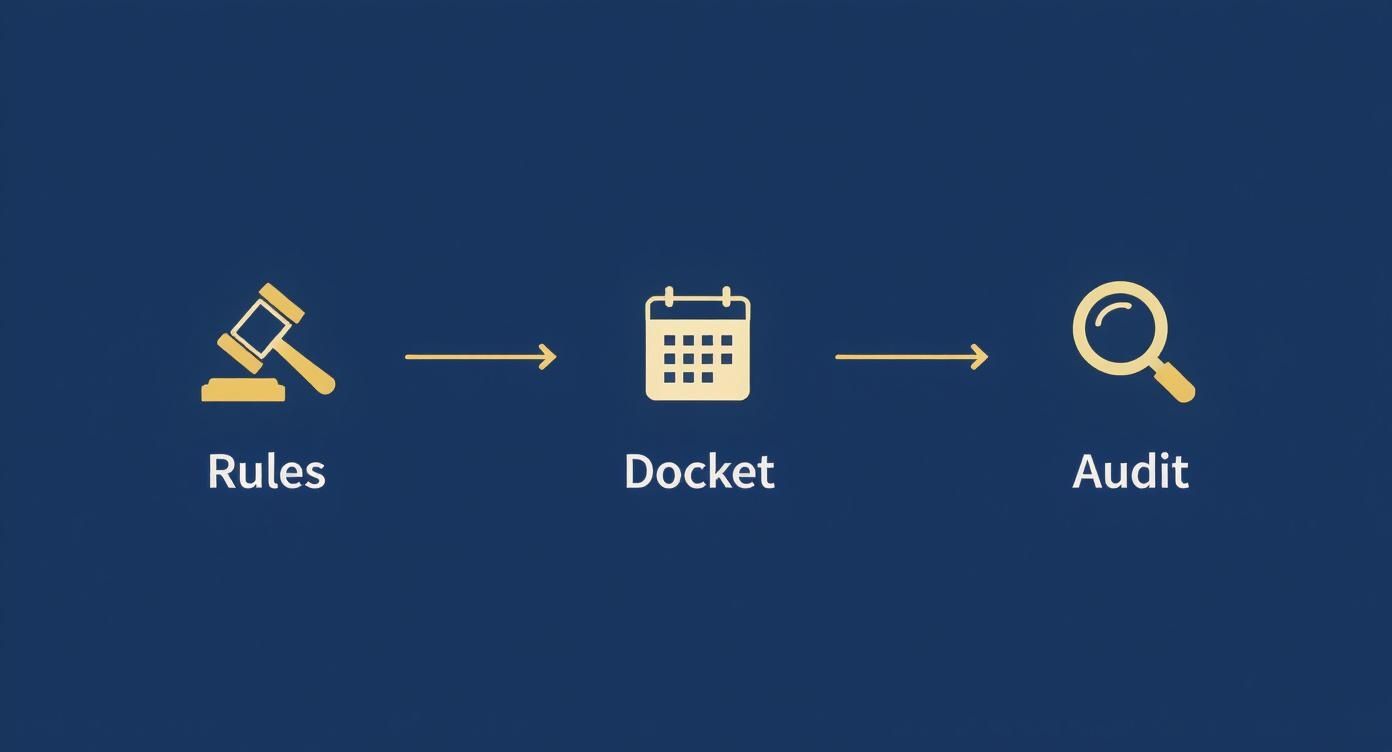
As you can see, a successful workflow hinges on the interplay between automated rules, a central docket, and a verifiable audit trail—all functions that get supercharged through proper integration.
Unifying Documents and Deadlines
Another game-changing integration is with your document management system (DMS). Let's be honest, deadlines are rarely just dates on a calendar. They’re directly tied to specific documents—motions, briefs, discovery requests, or court orders. Linking your calendar directly to your DMS builds a bridge between the what and the why.
Imagine a deadline pops up for "Respond to Plaintiff's Motion for Summary Judgment." Instead of toggling over to another program to search for the motion, your team clicks the calendar event and instantly pulls up the relevant PDF. This simple connection cuts out wasted time and frustration, ensuring the necessary files are always just one click away from the deadline itself.
By linking events to documents, you transform your calendar from a static list of dates into a dynamic, actionable dashboard for case progression. Every deadline becomes a direct gateway to the work that needs to be done.
This approach just makes everything more intuitive. When a team member gets a notification for an upcoming filing, they have immediate access to the document they need to review or amend. It dramatically cuts down on administrative friction and lets them focus on the actual legal work.
Linking Practice Management and Billing
Finally, integrating with your practice management software closes the loop on billing and reporting. When calendar events, tasks, and deadlines are connected to your firm’s main management hub, it streamlines everything from time tracking to invoicing. Time spent prepping for a deposition that's on the calendar can be logged far more accurately.
This integration also gives leadership a much clearer, data-driven view of team workloads and case velocity. By analyzing calendar data alongside case milestones, managers can better allocate resources, spot potential bottlenecks, and make sure every action taken is accounted for. The result is a more transparent and profitable operation from start to finish.
How to Choose the Right Software Solution
Picking the right legal calendaring software isn't just another IT purchase; it's a strategic decision that ripples through your entire operation, impacting both efficiency and your risk profile. Think of it less like buying a new app and more like bringing on a new, system-wide compliance officer. The wrong choice can bog you down with low adoption, workflow friction, and wasted money. The right one, however, becomes a bedrock of operational excellence.
This decision is gaining weight as the market explodes. The legal calendaring and docketing software sector hit USD 2.99 billion in 2023 and is projected to climb to USD 8.43 billion by 2030. This isn't just random growth; it signals a major industry shift toward tools that lock down deadline accuracy and automate compliance. You can explore more on this expanding market on verifiedmarketresearch.com.
Making the right call requires a structured approach that goes way beyond a simple feature checklist. You need to dig deep into how the software will actually perform in your unique environment.
Evaluate Security and Compliance Protocols
First things first: you absolutely have to vet the vendor's security credentials. This system will be the vault for sensitive client data, case strategies, and critical deadlines, making it a prime target. A data breach here isn't just an inconvenience; it can be catastrophic for your reputation and legal standing.
Start by asking for proof of their security certifications. You're looking for the essentials:
SOC 2 Certification: This is your assurance that the provider has established—and actually follows—strict information security policies.
HIPAA Readiness: If you handle any cases touching on healthcare, this is completely non-negotiable for protecting patient information.
Data Encryption: Get confirmation that data is encrypted both in transit (while moving across networks) and at rest (when it's sitting on their servers).
Don't just take their marketing materials at face value. Ask to see the documentation and make sure you understand their protocols for incident response. Any vendor who truly takes security seriously will be transparent and ready to share this information.
Assess Scalability and Future-Proofing
The software you choose today has to work for the organization you'll be tomorrow. Whether you're a law firm adding attorneys or a TPA bringing on new clients, the system must scale up without grinding to a halt. A platform that runs smoothly for ten users might just crumble under the pressure of a hundred.
Consider your five-year growth plan. The right legal calendaring software should be an asset that grows with you, not an anchor that holds you back.
Put direct questions to potential vendors about how they handle scale. How do their systems manage increased user loads and massive data volumes? Can they show you a proven track record with organizations of your projected size? Picking a scalable solution now saves you from the incredibly painful and expensive process of migrating to a new system in just a few years. To get a sense of which providers are built for the future, check out our overview of the 12 top legal tech companies to watch in 2025.
Prioritize User Experience and Adoption
Even the most powerful, feature-rich software on the planet is completely useless if your team won't use it. A clunky, confusing, or just plain unintuitive user interface (UI) is the number one killer of user adoption. If the software makes a paralegal's job harder, they'll inevitably find a workaround, falling back to old habits like spreadsheets or paper calendars.
The only real way to gauge this is to get the software into the hands of the people who will live in it every single day. During a trial or demo, have your attorneys, paralegals, and admins run through their most common, real-world tasks. Can they intuitively add a new matter? Can they easily trigger a rules-based deadline sequence? Can they find a colleague’s schedule without a headache? Their direct, honest feedback is worth more than any sales pitch you'll ever hear.
Your goal is to find a solution that fits into your team's existing workflow, not one that forces them to burn it all down and start over. A clean, logical, and user-friendly interface is what ensures your investment actually pays off through consistent, correct use across the whole organization.
Measuring the ROI of Your Calendaring Software

Securing the budget for new technology always comes down to one question: what’s the return on investment? To justify legal calendaring software, you have to move beyond the sticker price and build a business case grounded in real-world metrics. This isn’t just another expense; it’s a strategic investment in risk mitigation and operational efficiency.
The value isn't just about what you gain—it's about what you avoid. A proper ROI calculation looks at direct cost savings, productivity gains, and the powerful, though less obvious, intangible benefits that protect your bottom line and reputation.
Calculating Direct Cost Savings
The most straightforward returns come from preventing costly mistakes. A single missed deadline can trigger malpractice claims, court sanctions, or even case dismissals. The financial fallout from one of these events can easily dwarf the cost of the software for years to come.
Your calculation should start with risk avoidance. Take a hard look at your malpractice insurance premiums. Many insurers actually offer discounts to firms that can prove they use robust, rules-based docketing systems because these tools measurably lower their risk profile.
Beyond insurance, think about the direct financial penalties tied to missed filings. Even a minor sanction can cost thousands of dollars, not to mention the non-billable hours your team will burn trying to fix the mistake. By virtually eliminating these unforced errors, the software delivers a direct and defensible financial return.
Quantifying Productivity Gains
Efficiency is the other side of the ROI coin. Manual calendaring is a time-sucking administrative burden that pulls skilled paralegals and attorneys away from high-value, billable work. When you quantify these saved hours, a massive productivity boost comes into focus.
Start by tracking the time your team currently spends on manual calendaring tasks:
Calculating deadline sequences based on complex court rules.
Manually entering dates into multiple, disconnected calendars.
Cross-checking schedules for conflicts and availability.
Digging through case files to find documents related to a specific deadline.
Now, multiply those hours by each employee’s hourly rate. With legal calendaring software automating these tedious jobs, that time is reclaimed for case strategy, client communication, and legal research. To really capitalize on this, a solid understanding of time tracking for lawyers that boosts billable hours is essential for maximizing this part of your ROI.
A conservative estimate might show that automating date calculations saves a single paralegal five hours per week. Across a year, that’s over 250 hours of recovered productivity that can be redirected straight to revenue-generating activities.
To really see the impact, it helps to track specific metrics before and after implementation. This gives you concrete data to demonstrate the software's value.
Key Performance Indicators for Legal Calendaring Software
Metric Category | Key Performance Indicator (KPI) | How to Measure |
|---|---|---|
Operational Efficiency | Time Spent on Manual Calendaring | Track hours per week per user spent calculating dates, entering deadlines, and resolving conflicts. |
Reduction in Administrative Errors | Count the number of calendaring-related errors (e.g., wrong dates, missed reminders) per month. | |
Billable Hours Recovered | Calculate the value of reclaimed administrative time redirected to billable work. | |
Risk Mitigation | Number of Missed Deadlines | Track the frequency of missed court filings or statute of limitations deadlines per quarter. |
Malpractice Insurance Premiums | Compare annual premium costs before and after implementing a rules-based system. | |
Sanctions or Penalties Paid | Tally the total dollar amount of fines or sanctions related to deadline errors. | |
Financial Impact | Cost Per Case (Admin Overhead) | Divide total administrative time/cost for calendaring by the number of active cases. |
Software Subscription vs. Error Costs | Compare the annual software cost against the total cost of errors and missed deadlines avoided. |
Tracking these KPIs provides a clear, data-backed narrative that proves the software isn’t just a cost center—it’s a driver of profitability and stability.
Accounting for Intangible Benefits
Finally, some of the most significant returns are harder to put a number on, but they're just as critical. A reliable, centralized system dramatically reduces the constant stress and anxiety that comes with deadline management, which is a major contributor to team burnout.
This improved reliability also polishes your firm's reputation for professionalism and meticulousness. It leads to better client outcomes because your team has more time to focus on substantive legal work instead of chasing calendar entries. This creates a positive feedback loop of happier clients, stronger referrals, and a more sustainable, less chaotic work environment. When you combine these tangible and intangible benefits, you have a powerful case for the investment.
Common Implementation Mistakes to Avoid
Even the best legal calendaring software can fail if the rollout is clumsy. From my experience, a successful implementation is less about flipping a switch and more about smart, deliberate planning. Sidestepping the usual blunders ensures your investment pays off from day one instead of becoming just another source of frustration.
The real work starts long before anyone logs into the new system. One of the most common—and damaging—errors is skimping on the planning phase, especially when it comes to data migration. Just dumping old, messy calendar data into a shiny new platform is a classic "garbage in, garbage out" scenario. This instantly clutters the tool with bad information, sinks user trust, and can make the new software less useful than whatever you were using before.
A clean, thoughtful data migration isn't just nice to have; it's a non-negotiable for a smooth transition.
Neglecting User Adoption and Training
Another critical mistake is forgetting about the people who will actually use the software every day. You can buy the most powerful system on the market, but if your team doesn’t get it or, worse, doesn't want to use it, the project is dead on arrival. This usually happens when training is treated as a generic, one-size-fits-all meeting.
To get this right, you have to focus on role-specific training. A paralegal’s needs are completely different from a managing partner’s or a claims adjuster’s. The key is to show each group exactly how the software makes their specific daily grind easier.
A powerful move I’ve seen work time and again is appointing internal "champions." Find those tech-savvy team members who can be the go-to experts for their colleagues. They provide peer support and build positive buzz around the new system from the inside out.
Failing to Customize Workflows
Finally, a lot of organizations make the mistake of using their new calendaring software straight out of the box, without molding it to their existing processes. Every single firm, carrier, and TPA has its own unique way of doing things. The software needs to support those workflows, not force you to change them.
Here's how to avoid that trap:
Map Your Processes: Before you even start the implementation, get a clear picture of your current calendaring and deadline management workflows. Document everything.
Configure Custom Fields: Set up the platform with custom event types, matter fields, and reporting dashboards that use your team's language and match your operational needs.
Automate Repetitive Tasks: Pinpoint your most common deadline sequences and build templates to automate them. This is a huge win for ensuring consistency and accuracy across every single case.
By steering clear of these implementation pitfalls—messy data migration, generic training, and a lack of customization—you're setting yourself up for a successful rollout. A well-thought-out strategy guarantees your team will actually embrace the new tool, which is what leads to real efficiency gains and a much tighter grip on risk.
Common Questions Answered
When you're looking at legal technology, a lot of questions come up. It's smart to ask them. Here are some straightforward answers to the things we hear most often from claims departments and law firms about legal calendaring software.
Is This Really for Solo Practitioners, Too?
Absolutely. In fact, you could argue that solo attorneys and smaller firms feel the benefits most acutely.
When you don't have a large administrative team, you are the team. Every single deadline falls on your shoulders. Automated calendaring is more than just a convenience; it's your safety net. It catches the critical dates that might otherwise slip through the cracks, which is a huge factor in reducing malpractice risk. For a small shop, it's an incredible efficiency multiplier.
How Secure Is My Data in a Cloud-Based System?
This is the right question to be asking, and it's a critical one. Any reputable legal tech vendor knows how sensitive client data is and builds their entire platform around security.
When you're vetting a provider, don't just take their word for it. Look for concrete proof of their security commitment:
SOC 2 Certification: This is a big one. It confirms the provider has proven, audited internal controls for keeping client data safe.
HIPAA Readiness: If your caseload touches protected health information, this isn't optional. It's a must-have.
Data Encryption: Make sure they encrypt your data both while it's moving (in transit) and while it's being stored on their servers (at rest).
A vendor should be completely transparent about their security protocols. If they aren't, that's a red flag.
A provider's approach to security is a direct reflection of their commitment to protecting your firm and your clients. Never settle for vague promises; demand clear evidence of their security framework.
What's the Real Difference Between Docketing and Calendaring?
People often use these terms interchangeably, but they actually refer to two different, though related, functions.
Think of calendaring as managing your schedule. It’s the act of blocking out time for appointments, hearings, internal meetings, and personal deadlines. It's about managing where you and your team need to be and when.
Docketing, on the other hand, is the more formal, rules-based process. It involves officially recording and tracking every legal deadline and document filed with a court for a specific case.
The magic happens when these two functions are combined in a powerful legal calendaring software platform. The system uses the official docketed events (like a newly filed motion) to automatically calculate and create all the related calendar deadlines based on the specific rules of that court. This is what turns the software from a simple calendar into an indispensable compliance tool. It connects the "when" of your schedule with the "what" and "why" of your legal obligations.
Wamy is an AI claims intelligence platform that transforms raw claims data into audit-ready decisions. Our platform centralizes intake, automates document analysis, and provides risk intelligence to help carriers, TPAs, and law firms resolve claims up to four times faster. Discover how to accelerate your claims process at wamy.com.